AutoRun is a feature in Windows operating system that causes a certain file to open or a certain program to run automatically as soon as a compact disc or a flash drive (Pen drives) is inserted into the drive. The action taken is determined by a file called
AUTORUN.INF. If the file that has to be opened is a music or multimedia file, the feature is called
AutoPlay.
Go to
Start Menu --> Run--> and type in-->
gpedit.msc
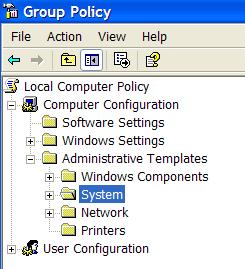
You will see the
Group Policy window.
You should select
Administrative Templates -->
System in the tree view