To remove handwriting recognition as a text service, follow these steps:
1. Click Start--> click Control Panel--> click Date, Time, Language, and Regional Options--> and then click Regional and Language Options.

2. Click the Languages tab.
3. Under Text services and input languages--> click Details.

4. Under Installed services--> click Handwriting Recognition under the language that you want it removed from--> click Remove--> and then click OK twice.
Handwriting recognition is removed for the language that you specified.
NOTE: If you remove handwriting recognition, it is not deleted from your hard disk. It is removed as a text service and is no longer loaded into memory. You can add (and remove) handwriting recognition again at any time. To completely remove the handwriting-recognition engine from your hard disk--> use the Add/Remove Programs feature in Control Panel.
1. Click Start--> click Control Panel--> click Date, Time, Language, and Regional Options--> and then click Regional and Language Options.
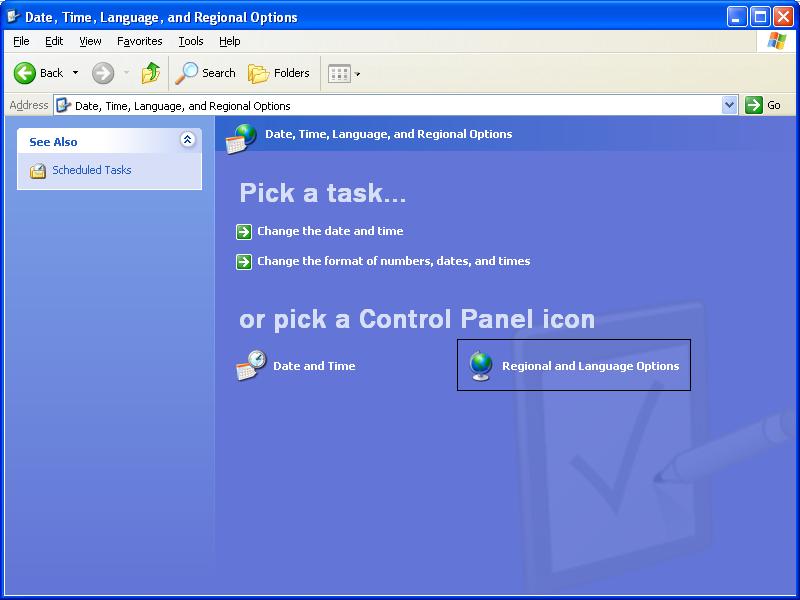
3. Under Text services and input languages--> click Details.

Handwriting recognition is removed for the language that you specified.
NOTE: If you remove handwriting recognition, it is not deleted from your hard disk. It is removed as a text service and is no longer loaded into memory. You can add (and remove) handwriting recognition again at any time. To completely remove the handwriting-recognition engine from your hard disk--> use the Add/Remove Programs feature in Control Panel.


